COO
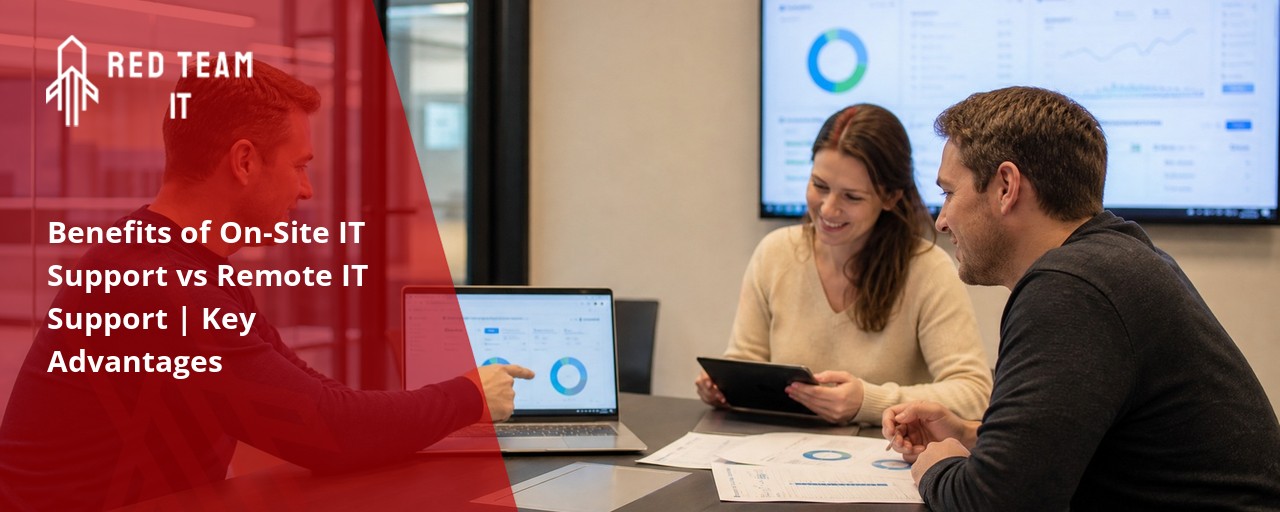
What we keep hearing from businesses is how often small IT problems get ignored until they become big headaches. Many teams think remote help is enough, but they’re surprised by how much faster issues get fixed with someone right there in the office. Here’s the takeaway: On-site IT support gives your business a hands-on advantage that remote services can’t always match.
Industry research shows that companies with on-site IT support experience less downtime and higher productivity. When a technician can walk over and troubleshoot problems in person, you get rapid response and solutions that keep your systems running smoothly. This is especially important when technical issues threaten to disrupt your workday or cause an outage. With on-site support, your business needs are met quickly, and you don’t have to wait for someone to configure a fix from afar. That’s a major benefit of onsite help—having a real person who understands your setup and can act fast.
On-site IT support means having a dedicated technician or team available at your business location. This approach offers a level of service that remote support alone can’t provide. When you have someone on-site, they can see your systems firsthand, spot issues before they become problems, and deliver immediate help.
One of the main benefits of on-site IT support is the ability to handle both planned maintenance and unexpected technical issues. Whether it’s setting up new equipment, troubleshooting network problems, or responding to an outage, in-person support ensures your business stays productive. You don’t have to wait for someone to connect remotely or explain issues over the phone. Instead, you get direct, hands-on help that’s tailored to your environment.
On-site support also helps with more complex needs, like configuring servers, upgrading hardware, or managing security risks. The technician can work closely with your team, understand your business needs, and make sure everything is running smoothly. This level of attention is hard to match with remote-only services.

When comparing on-site and remote IT support, it’s important to understand where each shines. Here are some key ways on-site support delivers unique value:
With on-site IT support, you get rapid response when something goes wrong. A technician can be at your desk in minutes, reducing downtime and keeping your operations on track.
On-site support means problems are solved in person. The technician can see exactly what’s happening, making it easier to diagnose and fix issues that might be missed remotely.
Having someone on-site allows them to get familiar with your specific setup. This leads to faster solutions and fewer repeat problems, because they know your business inside and out.
Remote support can’t always fix issues with printers, servers, or network cables. On-site technicians can handle these physical problems right away.
Regular on-site visits help build trust and communication. Your staff feels comfortable asking questions and reporting issues early, which helps prevent bigger problems down the road.
On-site IT support teams can spot potential issues before they cause trouble. They handle updates, security checks, and hardware upgrades efficiently.
When your business moves offices, adds new staff, or upgrades technology, on-site support ensures everything goes smoothly. They can manage the transition and keep disruptions to a minimum.
Here are some of the top reasons businesses choose on-site IT support:

As your business grows, your IT needs become more complex. Many companies start with remote support, but soon realize that on-site help is essential for keeping everything running smoothly. On-site IT support offers a level of service that’s hard to match with remote-only options.
When you have a managed on-site IT service near me, you get a team that understands your environment and can act quickly when problems arise. This is especially valuable for businesses with 50 or more users, where even a short outage can impact productivity. On-site support helps you stay ahead of technical issues, reduce downtime, and make sure your systems are always ready for the next challenge.
Having an on-site IT support team also means you can outsource complex tasks, like configuring new servers or upgrading your network, without disrupting your day-to-day work. This lets your staff focus on their jobs, while experts handle the technical details.
Finding the right onsite IT support provider is key to getting the most value from your investment. Here’s what to consider:
Look for a provider that has worked with companies like yours. They’ll understand your industry’s unique requirements and challenges.
A good provider offers rapid response when you need help. Ask about their average response time and how they handle urgent issues.
Choose a team that can handle everything from troubleshooting to upgrades. The more services they offer, the less you’ll have to coordinate with multiple vendors.
Clear communication is essential. Your provider should keep you informed about what’s happening and provide regular updates on your systems.
Every business is different. Look for a provider that offers both on-site and remote IT support, so you can get help in the way that works best for you.
Make sure you understand the costs and terms before signing up. A reliable provider will explain their pricing clearly and avoid hidden fees.
Check for feedback from other businesses. Good reviews and references are a strong sign that the provider delivers quality service.

Getting started with managed on-site IT service near me is easier than you might think. Start by assessing your current IT setup and identifying areas where you need more support. This could be anything from frequent technical issues to slow response times or challenges with hardware.
Next, reach out to potential providers and ask about their experience, services, and response times. Be clear about your business needs and any specific concerns you have. A good provider will offer a customized plan that fits your company’s size and goals.
Once you’ve chosen a provider, work together to create a support schedule, set expectations for response time, and establish clear communication channels. Regular check-ins help ensure your systems stay up-to-date and any issues are addressed before they become bigger problems.
To get the most from your on-site IT support, keep these tips in mind:
Following these steps helps your business stay productive and reduces the risk of unexpected downtime.

Are you a business with 5-150 employees, especially if you have 50 or more users? If you’re growing and need reliable, hands-on IT support, we’re here to help. Our team specializes in providing managed on-site IT service near me for companies that want fast response and expert solutions.
We understand the challenges of keeping your systems running smoothly while focusing on your core business. With Red Team IT, you get a dedicated on-site IT support team that knows your environment and is ready to act when you need it most. Contact us today to learn how we can help your business thrive.
Onsite IT support involves a technician coming to your location to troubleshoot and fix problems in person, while remote IT support handles issues over the phone or internet. Onsite support is best for hands-on tasks like hardware repairs, while remote support is great for quick software fixes and updates.
Having both options can reduce downtime and improve productivity. The right service provider will help you decide which approach fits your business needs and keeps your systems running smoothly.
If your company faces frequent technical issues or relies on complex hardware, onsite IT support may be the right choice. In-person help is especially useful when you need rapid response to outages or need someone to configure new equipment.
Onsite support teams can also handle tasks that remote support can’t, such as setting up networks or troubleshooting physical devices. This ensures your business stays productive and avoids long periods of downtime.
The main benefit of onsite IT support is immediate, hands-on help for problems that can’t be fixed remotely. This includes hardware failures, network outages, and complex troubleshooting.
Onsite IT support teams can also provide proactive maintenance, reducing the risk of future issues. Remote support is still valuable for quick fixes, but having both options gives you the best coverage for your business needs.
Choose a provider with experience in your industry and a proven track record of rapid response. Ask about their onsite support team, response time, and how they handle emergencies.
A good provider will offer flexible support options, clear communication, and transparent pricing. Make sure they can handle both in-person and remote support to cover all your IT needs.
On-site and remote IT support can be combined for maximum efficiency. Remote support handles quick software fixes, while on-site support manages hardware and complex issues.
This approach reduces downtime and ensures your systems are always running smoothly. Your service provider should help you configure a plan that fits your business needs and keeps your team productive.
One challenge is scheduling—making sure a technician is available when you need them. Some tasks may also require both onsite and remote support for the best results.
To overcome these challenges, work with a provider that offers flexible scheduling and a skilled onsite IT support team. This ensures you get rapid response and reliable help whenever issues arise.
%2520(1).png)
.svg)