COO
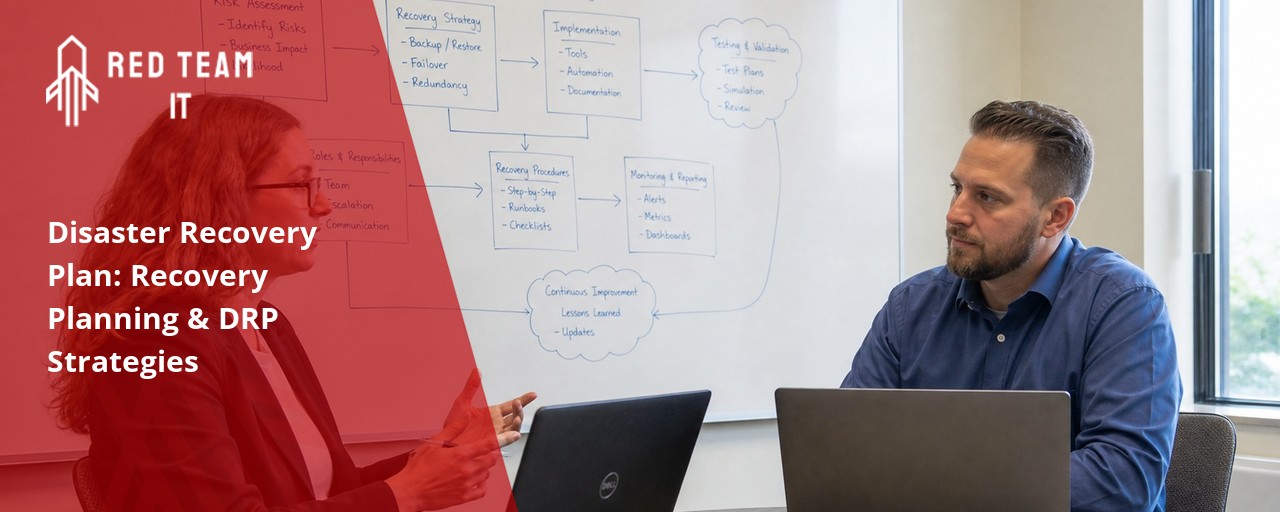
What we keep hearing from businesses is that they often think their backups are enough to keep them safe, but when a real emergency hits, they realize there’s no clear plan for what to do next. Here’s the truth: having a disaster recovery plan is about more than just saving files—it’s about making sure your business can keep running, no matter what happens. Industry research shows that most companies without a tested plan take much longer to recover from disruptions, risking lost revenue and damaged trust.
A disaster recovery plan is a step-by-step guide for how your business will respond to unexpected events like cyberattacks, power outages, or a natural disaster. The goal is to minimize downtime and data loss so your business operations can bounce back quickly. By focusing on recovery planning, you can protect your information systems, keep your business functions running, and ensure business continuity even when the unexpected strikes.
A disaster recovery plan is your business’s safety net for when things go wrong. It lays out exactly how to respond to a disruptive event, whether it’s a cyberattack, hardware failure, or even a natural disaster. Without a plan, recovery processes can be slow and confusing, leading to more downtime and greater business impact.
The plan should include clear instructions for your team, details on backup systems, and a communication strategy for reaching employees and customers. By preparing in advance, you can reduce the risk of data loss and make sure your recovery effort is organized and effective. This is a key part of any business continuity plan, helping you get back on track with minimal disruption.

Building a disaster recovery plan isn’t just about writing a document—it’s about making sure your business can survive any type of disaster. Here are the essential steps every business should follow:
Start by listing the business operations that are most important to your company. These are the functions you need to restore first after a disruption. Knowing what matters most helps you focus your recovery strategy.
A business impact analysis helps you understand how different disruptions could affect your business. This step lets you set priorities for recovery and decide where to invest your time and resources.
Decide how quickly you need to recover (recovery time objective) and how much data you can afford to lose (recovery point objective). These targets guide your recovery procedures and help you choose the right backup solutions.
Write down the exact steps your team should take during a disaster. This includes who to contact, how to access backups, and what order to restore systems. Clear instructions make it easier to act fast when every minute counts.
Don’t wait for a real emergency to find out if your plan works. Schedule regular tests and update your plan as your business changes. This keeps your team prepared and your plan effective.
Make sure everyone knows their job in a crisis. Assign specific tasks to team members so there’s no confusion during a recovery effort.
Keep employees, customers, and partners informed during a disruptive event. Good communication helps maintain trust and reduces confusion.
Having a disaster recovery plan brings several important advantages:

There are several types of disaster recovery, each designed to address different risks and business needs. Understanding these options helps you choose the right disaster recovery strategies for your company.
Traditional backup involves copying data to an external drive or off-site location. This is a basic form of protection, but it can take time to restore systems after a disruptive event. Cloud-based recovery uses online storage and virtual servers to speed up recovery times and provide more flexibility. For businesses with a data center, replication can keep a real-time copy of your systems ready to go if something goes wrong.
Some companies use managed disaster recovery services, where an outside provider handles the technical details. This can be a good option if you don’t have a large IT team. No matter which type you choose, the goal is to ensure rapid recovery and protect your business from major disruptions.
A solid recovery planning process covers more than just backups. Here are the most important elements to include in your plan:
Keep an up-to-date list of all your hardware, software, and cloud services. This makes it easier to restore systems and avoid missing anything important.
Identify the risks your business faces, from cyber threats to power outages. Understanding the type of disaster you’re most likely to face helps you prepare the right response.
Maintain a list of key contacts, including IT staff, vendors, and emergency services. Quick communication can speed up your recovery effort.
Detail the recovery processes for each business function. This includes how to restore data, restart servers, and bring applications back online.
Train your team on the disaster recovery process and run practice drills. This keeps everyone ready to act and helps you find gaps in your plan.
Store backups in a secure location away from your main office. Cloud backups can provide extra protection and faster recovery times.
Review your plan at least once a year, or whenever your business changes. Update recovery procedures to reflect new systems or risks.

Putting your disaster recovery plan into action takes careful planning and regular attention. Start by sharing the plan with your team and making sure everyone understands their role. Use simple checklists and clear instructions so no one is left guessing during a crisis.
Schedule regular tests of your plan, such as simulated outages or data loss scenarios. These drills help you spot weaknesses and make improvements before a real disaster happens. Keep your plan updated as your business grows or adds new technology, so you’re always ready for the unexpected.
To keep your disaster recovery plan effective, follow these best practices:
Staying prepared means your business can handle disruptions with confidence.

Are you a business with 50 or more employees looking for a reliable disaster recovery plan that fits your growing needs? We know that as your company expands, the risks and challenges of keeping your systems safe only increase. That’s why having a plan designed for larger teams is so important.
At Red Team IT, we help businesses like yours create, test, and maintain disaster recovery plans that work. Our team understands the unique needs of companies with 50+ user systems, and we’re ready to help you protect your business operations, data, and reputation. Contact us today to get started.
A disaster recovery plan for larger businesses should cover all critical business functions, from information systems to communication channels. It’s important to include a business impact analysis, clear recovery time objectives, and detailed recovery procedures for each department. This ensures your team knows exactly what to do during a disruptive event.
Make sure your plan also addresses data loss prevention, backup schedules, and roles for each team member. Regular testing and updates help keep your plan effective as your business grows and changes.
Recovery planning helps you prepare for different types of disasters, including storms, floods, or fires. By mapping out recovery processes in advance, you can restore business operations faster and reduce the risk of long-term disruption.
A strong plan should include backup power options, off-site data storage, and a communication strategy for reaching employees and customers. These steps help ensure business continuity even when your main office is affected.
A DRP, or disaster recovery plan, focuses on restoring IT systems and data after a disruptive event. It’s a key part of your overall business continuity plan, which covers all aspects of keeping your business running, including people, processes, and facilities.
While the DRP deals with technical recovery strategies, the business continuity plan looks at the bigger picture, helping you maintain essential business functions no matter what happens.
Choosing the right type of disaster recovery depends on your company’s size, budget, and risk profile. Options include traditional backups, cloud-based recovery, and managed disaster recovery services.
Consider your recovery time objective and recovery point objective when making a decision. The right choice will help you achieve rapid recovery and minimize business impact.
For growing businesses, disaster recovery strategies should focus on scalability and flexibility. This means using cloud backups, automating recovery processes, and regularly reviewing your plan as your needs change.
Don’t forget to include regular training for your team and clear documentation of your recovery effort. These steps help ensure business continuity as your company expands.
You should test your business continuity and disaster recovery plans at least once a year, or after any major change in your business operations or IT systems. Regular testing helps you find gaps and improve your recovery procedures.
Updating your plan ensures it stays relevant and effective. Make sure to document lessons learned from each test and adjust your plan should include new risks or technologies.
%2520(1).png)
.svg)