COO
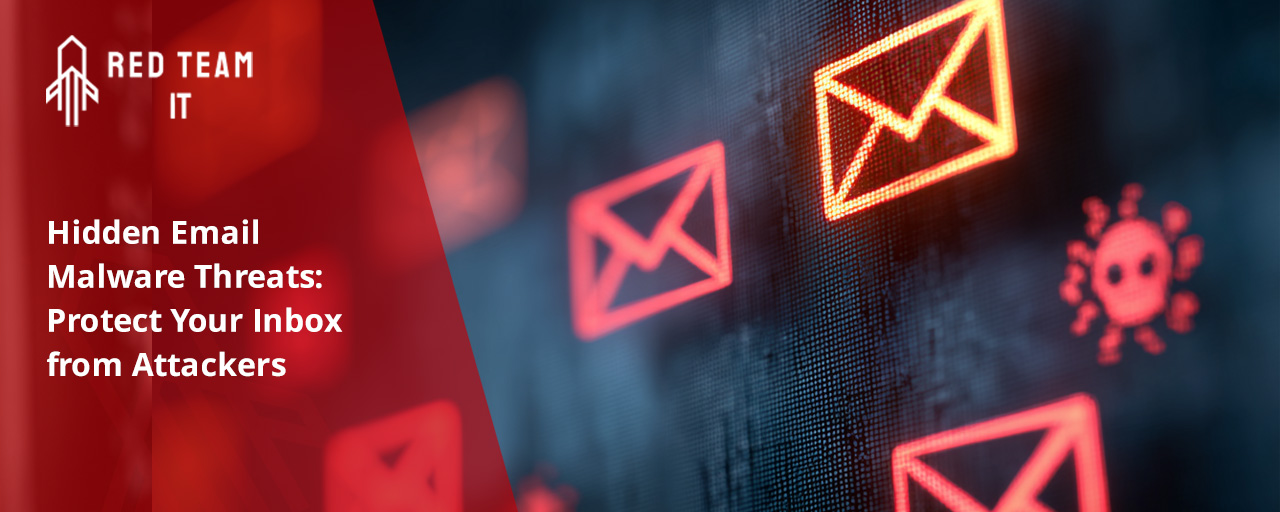
Hidden email malware threats are becoming harder to detect, especially for businesses that rely heavily on email communication. Many threats now bypass traditional filters and antivirus tools, hiding inside attachments or disguised as legitimate messages. In this blog, you'll learn how these threats work, what signs to look for, and how to protect your inbox from malicious actors. We’ll also cover how attackers use phishing, AI, and social engineering to exploit email vulnerabilities and steal sensitive information like credentials.
Hidden email malware threats are not always obvious. They often come in the form of harmless-looking attachments or links that, once clicked, release malware into your system. These threats can steal data, lock files, or give hackers access to your network.
What makes these threats dangerous is how well they blend in. A phishing email might look like it came from a trusted sender. A malicious attachment might appear to be a regular PDF or spreadsheet. Without the right email security tools, it’s easy to fall for them.
Hackers are constantly finding new ways to sneak malware into your inbox. Here are some of the most common methods they use:
Many attackers hide malware in common file types like PDFs or Word documents. These files seem safe, but they can contain scripts that run as soon as you open them.
Hackers often hide malicious links behind text like “Click here” or use shortened URLs. These links may lead to fake login pages or automatically download malware.
Cybercriminals can make an email look like it came from someone you trust, like a vendor or coworker. This increases the chance that you’ll open the message or attachment.
Some emails include images that contain hidden code. When you view the image, the code runs in the background and infects your device.
Emails may contain attachments that target known vulnerabilities in outdated software. If your systems aren’t updated, you’re at higher risk.
Attackers now use AI to write emails that sound more human. These messages are harder for spam filters to catch and easier for users to trust.
Some malware doesn’t activate right away. It waits until a certain time or action occurs, making it harder to trace back to the original email.
A reliable email security solution can help you:

Standard spam filters and antivirus software often rely on known threat signatures. But hidden email malware threats are constantly evolving. Attackers use new techniques that traditional tools don’t recognize right away.
For example, an email virus might be embedded in a file that looks clean to older antivirus systems. Or a phishing email might use new wording that doesn’t match known scams. Without updated tools and human review, these threats can slip through.
That’s why businesses need more than basic filtering. You need layered defense strategies that include behavior analysis, real-time scanning, and employee awareness training.
Improving your email security doesn’t have to be complicated. Here are key actions to take:
Teach employees how to spot suspicious emails, especially those with unexpected attachments or requests for sensitive information. Awareness is your first line of defense.
Modern filters can detect patterns and behaviors, not just keywords. They’re better at spotting hidden threats that traditional filters miss.
Even if a hacker gets your login credentials, MFA makes it harder for them to access your email accounts.
Use tools that automatically scan attachments for malware before users can open them. This adds a safety net against malicious files.
Watch for signs like login attempts from unknown locations or sudden spikes in email traffic. These can indicate a compromised account.
Outdated systems are easier to exploit. Regular updates close known vulnerabilities that attackers target.
Working with experts gives you access to tools and insights that go beyond what in-house teams can manage alone.

Follow these guidelines to reduce your risk:
Are you a business with 50 or more users looking for a better way to secure your email systems? If you rely on email for daily operations, you can’t afford to ignore hidden threats. Our team helps growing businesses stay ahead of attackers with proactive tools and expert support.
We understand how these threats evolve and how to stop them before they cause damage. From scanning email attachments to blocking phishing emails, Red Team IT delivers the protection your business needs. Contact us today to learn how we can help.
Look for signs like poor grammar, urgent requests, or unexpected attachments. Malware often hides in files that seem harmless. If you receive an email from a sender you don’t recognize, or the message feels off, don’t open it.
Using a spam filter and updated antivirus software can help detect threats before they reach your inbox. These tools scan for known malware and block suspicious emails before you interact with them.
Attachments like .exe, .zip, and even .docx files can carry malware. Hackers often use these formats because they can hide scripts that run when opened. Always be cautious with attachments you weren’t expecting.
Even PDFs can be risky if they contain embedded code. If you’re unsure, scan the file with security tools before opening it. Better yet, confirm with the sender if the file is legitimate.
Many phishing emails are now written using AI, which helps them sound more natural. This makes them harder to detect and more likely to trick users into clicking on links or sharing sensitive information.
Attackers also use logos, email addresses, and formatting that mimic real companies. These details make the email seem trustworthy, increasing the chances that someone will fall for the scam.
Disconnect from the internet immediately and notify your IT team. Clicking on links in phishing emails can trigger malware downloads or lead to fake login pages that steal your credentials.
Run a full system scan using your antivirus software. If you entered any information, change your passwords right away and monitor your accounts for unusual activity.
Start by training your team to avoid suspicious emails and attachments. Ransomware often enters through phishing emails or malicious links. Back up your data regularly so you can recover if files are locked.
Use email security tools that scan for ransomware behavior. These tools can block malicious emails before they reach your team and reduce the risk of a successful attack.
Social engineering tricks users into giving up sensitive information. It relies on trust, urgency, or fear to get people to act without thinking. These tactics are common in phishing emails.
Attackers might pretend to be a coworker or vendor asking for credentials or payment. Training your team to verify unusual requests can stop these scams before they succeed.
%2520(1).png)
.svg)