COO
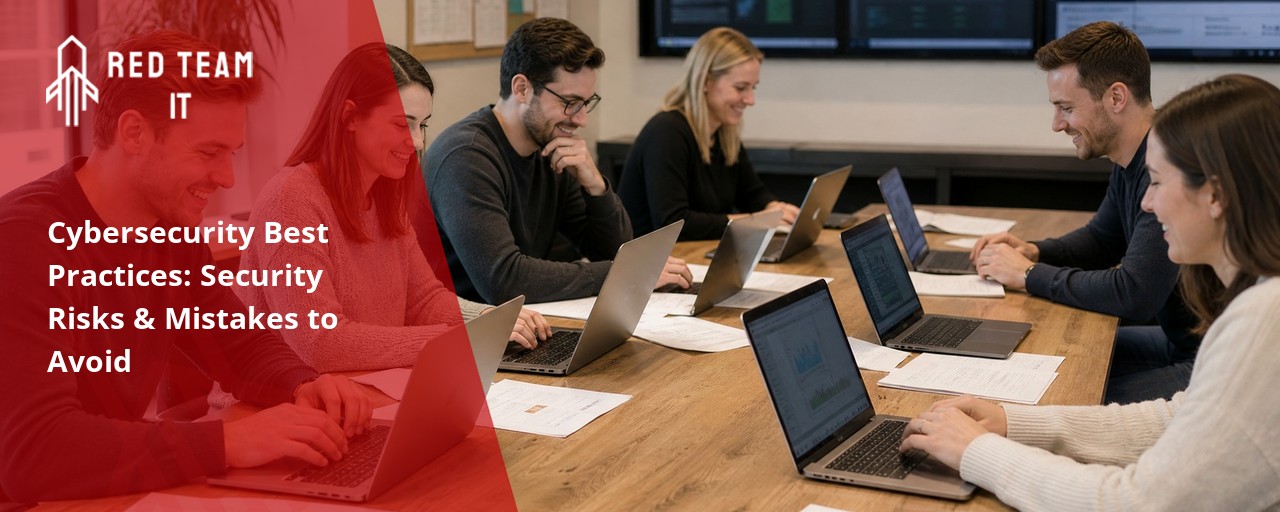
What we keep hearing from businesses is that even the most tech-savvy teams often overlook basic password changes or skip regular security updates. One clear fact stands out: "Cybersecurity best practices protect your business from threats that can cause real damage." Industry research shows that over half of small and mid-sized companies have faced at least one cyberattack in the past year.
It's easy to assume that only large companies are targeted, but that's not true. Every business, no matter the size, needs to take cybersecurity seriously. Following cybersecurity best practices means using strong authentication, updating systems, and training your team to spot suspicious links. These steps help you avoid breaches, keep sensitive information safe, and build resilience against cyber threats. As you read on, you'll learn how to spot vulnerabilities, implement the right security practices, and safeguard your organization's future.
Building a strong security posture starts with a few essential actions. These steps form the base of any reliable cybersecurity program and help you stay ahead of potential threats.
First, you need to prioritize regular audits. Auditing your systems uncovers vulnerabilities before attackers find them. Next, implement multi-factor authentication for all users. This adds an extra layer of protection beyond just passwords. Finally, make sure you have a backup plan in place. Backups help you recover quickly if your data is lost or stolen.
By focusing on these basics, you reduce your risk of a breach and set your team up for long-term success. Even as technology changes, these best practices for businesses remain the foundation of strong information security.

Even well-meaning teams can slip up when it comes to security. Here are some of the most common mistakes and how you can avoid them.
Skipping updates leaves your systems open to known vulnerabilities. Attackers often target outdated software because it's easier to exploit. Always schedule updates and patches as soon as they're available.
Using simple or repeated passwords makes it easy for hackers to break in. Encourage your team to use strong passwords and change them regularly. Consider a password manager to keep things organized.
If your employees can't spot phishing emails or suspicious links, your business is at risk. Regular training sessions help everyone recognize and avoid common cyber threats.
Not everyone needs access to all your data. Limit permissions based on job roles to reduce the chance of unauthorized access or accidental data leaks.
Without a plan, teams scramble when something goes wrong. Create and test an incident response plan so everyone knows what to do if a breach happens.
Vendors and partners can introduce vulnerabilities. Always vet third-party providers and make sure they follow appropriate security standards.
Without regular audits, you might miss hidden risks. Schedule routine checks to catch issues early and keep your cybersecurity program strong.
Adopting reliable security practices brings real advantages to your business:

A strong cybersecurity program is more than just a checklist—it's a way to protect your organization as it grows. As your business handles more data and connects with more clients, the risks increase. Having reliable systems in place helps you manage these risks and stay compliant with regulations.
Cybersecurity best practices are important because they help you spot and stop threats before they cause harm. By investing in advanced cybersecurity solutions, you show your team and your clients that you take security seriously. This builds confidence and sets you apart from competitors who may not be as prepared.
Taking your security to the next level means adding more layers of protection. Here are some practical steps to get started.
Start with a thorough review of your existing systems. Look for gaps in your defenses and areas where you could improve. This assessment helps you prioritize what to fix first.
Install firewalls, antivirus software, and intrusion detection systems. These tools help block malicious activity and alert you to suspicious behavior.
Set up real-time monitoring to catch unusual activity early. The sooner you spot a problem, the faster you can respond and minimize damage.
Make sure your plan covers all types of security threats, from ransomware to data leaks. Practice your response regularly so your team is ready for anything.
Encrypt important files and limit who can access them. This keeps personal information safe even if someone breaks in.
Regularly review your security policies to keep up with new risks and regulations. Update them as your business changes.
Encourage everyone to stay alert and report anything unusual. A culture of security makes your whole team stronger.

Putting these best practices into action takes planning and teamwork. Start by assigning clear roles for security tasks. Make sure everyone knows who to contact if they spot a problem.
Next, use cybersecurity solutions that fit your business size and needs. Not every tool is right for every company, so choose wisely. Schedule regular training to keep your team up to date on the latest threats and how to avoid them. Finally, test your systems often. Run drills and audits to make sure your defenses work as expected. These steps help you stay ahead of attackers and protect your organization from harm.
Every business can improve its security by following these practical steps:
Following these steps helps you safeguard your business and stay ready for new challenges.

Are you a business with 50 or more users looking to strengthen your security? If your team is growing and you want to protect sensitive data, it's time to take cybersecurity seriously. We understand the unique challenges that come with managing IT for 5-150 employees, especially as your systems become more complex.
Our team at Red Team IT specializes in helping businesses implement cybersecurity best practices and advanced cybersecurity solutions. We can guide you through audits, incident response planning, and access control setup. Contact us today to see how we can help protect your organization and give you peace of mind.
For businesses that are expanding, it's crucial to implement multi-factor authentication and limit access to sensitive data. These best practices help prevent unauthorized access and reduce the risk of a breach. Regularly updating your incident response plan also ensures your team is ready for any situation.
Additionally, schedule routine audits to catch vulnerabilities early. Prioritize training so your staff can spot suspicious links and avoid social engineering attacks. This combination of technical and human-focused security practices builds a strong foundation.
Start by conducting a thorough audit of your systems and processes. Look for weak points, such as outdated software or unsecured devices, that could be targeted by cyber threats. Use reliable cybersecurity solutions to monitor for unusual activity and potential threats.
Regularly review your security posture and update policies as your business changes. Encourage your team to report anything suspicious, and use backup systems to safeguard sensitive information in case of an incident.
Your incident response plan should outline clear steps for detecting, responding to, and recovering from cybersecurity incidents. Assign specific roles to team members and make sure everyone knows how to report a problem.
Include procedures for containing a breach, communicating with stakeholders, and restoring data from backups. Test your plan regularly to make sure it works and update it as new threats emerge.
Vet all third-party vendors before giving them access to your systems. Require them to follow your security practices and provide proof of compliance with industry standards.
Monitor vendor activity and limit their access to only what they need. Regularly review these relationships and update contracts to reflect current cybersecurity best practices.
Cybersecurity awareness training teaches your team how to recognize phishing emails, suspicious links, and other common cyber threats. This reduces the risk of accidental breaches caused by human error.
Training also helps employees understand the importance of strong passwords and safe online behavior. By making security a shared responsibility, you build resilience across your organization.
Watch for unusual activity, such as unexpected password changes, locked accounts, or files being moved or deleted. These can be early signs of a breach or cyberattack.
If you notice unauthorized access or receive alerts from your security solutions, act quickly. Follow your incident response plan and contact your IT team to investigate and contain the threat.
%2520(1).png)
.svg)