COO
EDR tools only deliver true security when someone is actively monitoring and responding to their alerts. Simply installing the software does not protect your business during an attack.
When an endpoint detection and response tool runs unsupervised, the damage shows up quietly at first: alerts pile up unread, a threat that should have been caught in minutes lingers for days, and what began as a contained incident turns into downtime or lost data that costs far more to fix than to prevent.
That gap between owning the software and being protected by it is the whole problem. Endpoint detection and response is built to watch computers, servers, and other devices on a network, flagging the signs of an intrusion as they appear. Yet plenty of companies buy it expecting a self-running safety net, when its value actually depends on what happens after it speaks up. Leave its alerts unwatched, and even a well-built system leaves the same gaps it was bought to close.

That dependence on follow-through is easy to miss, which is why some businesses treat installation as the finish line and call endpoint security handled. The comfort that creates is largely false.
Once alerts go unchecked, an attacker already inside has room to move, because detection without review changes nothing on its own. The tool can spot the suspicious activity perfectly well; what turns that catch into protection is a person reading the alert and acting before it escalates.
The danger compounds for organizations without a dedicated security team, since an alert nobody is assigned to watch is, in practical terms, an alert nobody saw. Left this way long enough, that silence turns into the kind of breach active oversight would have stopped early.
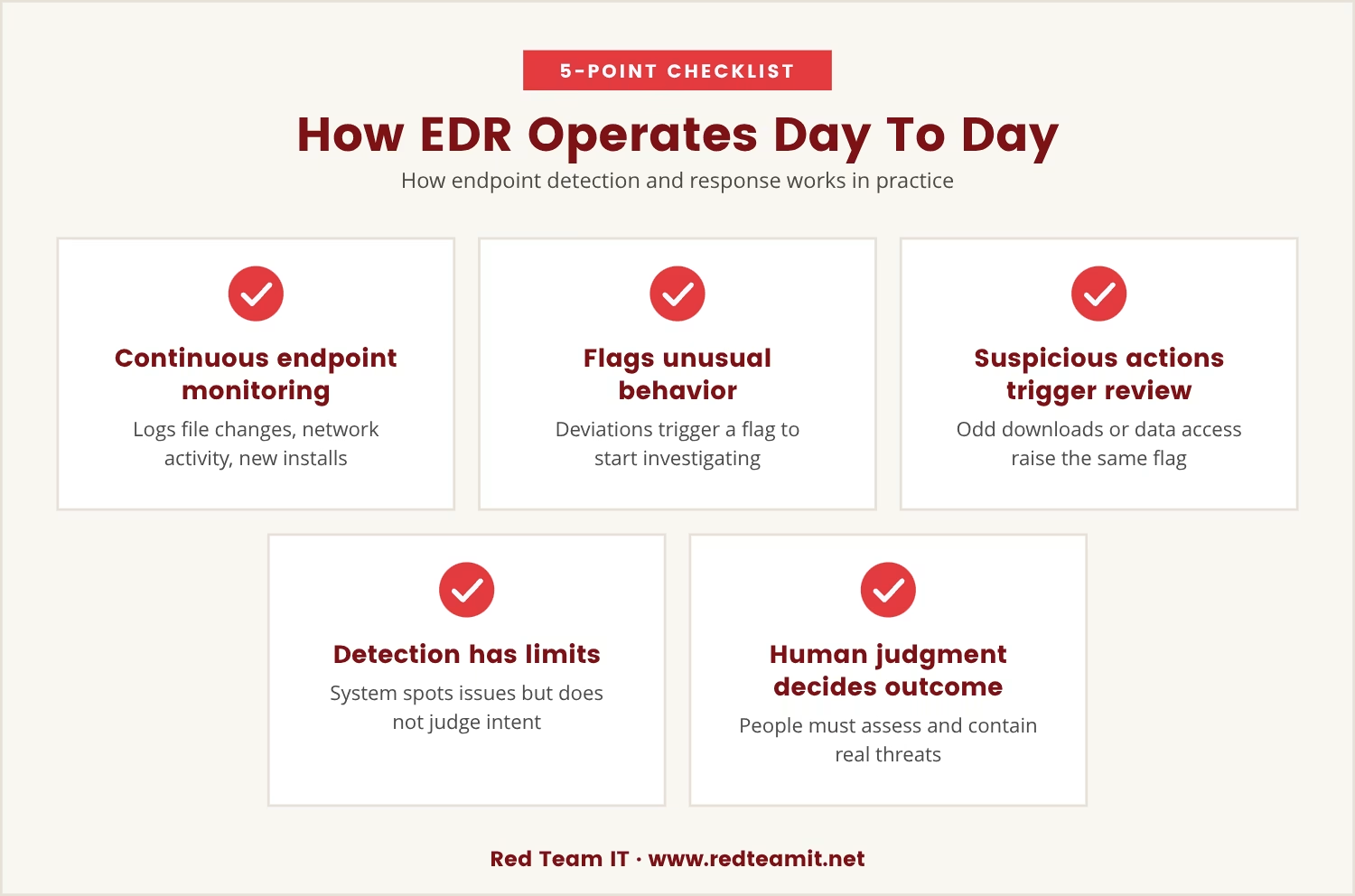
Set against that risk, it helps to see what the tool is actually doing underneath the alerts. It watches endpoint devices continuously, logging file changes, network connections, and new software installs as they happen.
The moment something departs from normal, it raises a flag meant to start an investigation, not end one. A user downloading an unfamiliar file or a program reaching for data it has no business touching will trigger that same flag for review.
But the system stops at detection; it does not judge intent or decide what happens next. Someone still has to weigh whether the alert reflects a genuine threat and then contain or remove it, which is exactly where human judgment becomes the deciding factor in whether protection actually holds.
That reliance on judgment matters most when budgets are tight, which is why companies in Denton can be drawn toward automated response as a stand-in for a full security practice. Automated moves, like isolating a device or killing a process, are genuinely useful, but useful is not the same as sufficient.
Straightforward threats are well within an automated system's reach; sophisticated ones are not, because attackers often dress their methods to look routine, and software built to react to patterns can miss what a trained eye would catch immediately. Without someone weighing the context, that kind of threat passes through unnoticed.
Automation carries its own risk too: left misconfigured, it can disrupt legitimate business activity it mistakes for a threat. Keeping a person in the loop keeps the response proportionate and keeps operations running.
Given how much depends on the people behind the tool, choosing an EDR solution is less about the feature list and more about what a team can realistically keep up with. The sections below cover what needs continuing attention after the purchase is done.
Volume is the default state of an effective EDR tool, and not every alert it produces deserves the same urgency. Someone has to sort the noise from the real threats and act on the latter first.
Most EDR platforms come with tools for digging into suspicious activity in detail. They only pay off if someone actually opens them and does the digging.
The strongest EDR systems plug directly into a broader incident response plan. That connection only matters if the team on the other end is ready to move when it fires.
Custom rules let a platform reflect a business's specific environment, but environments change. Keeping those rules useful means revisiting and tuning them regularly.
EDR data can support compliance work by tracking incidents and the responses to them. That record is only as accurate as the person maintaining and reviewing it.
Put those features together, and the pattern holds: EDR's advantages exist on paper until someone actively manages the system. Real-time monitoring catches threats early only when a person is watching the alerts and moving fast once they appear.
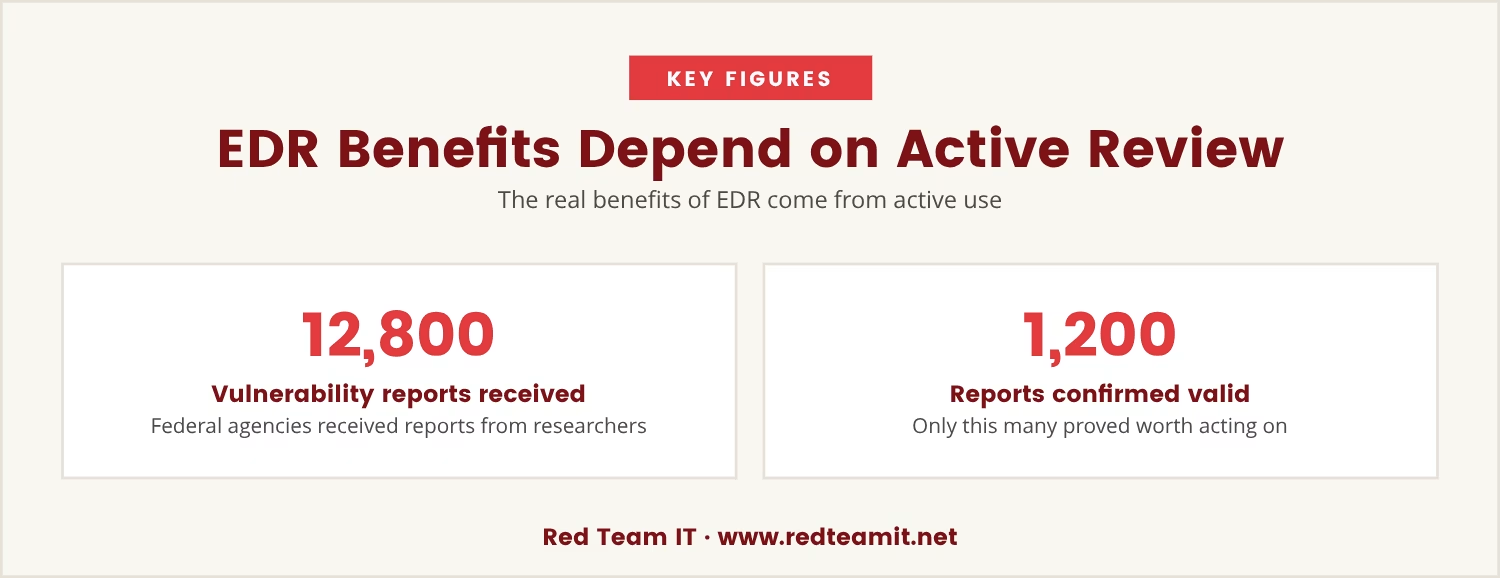
Consider how this plays out at scale: federal agencies received over 12,800 vulnerability reports from researchers, yet only 1,200 turned out to be valid and worth acting on — a ratio that makes the case for human review on its own, since filtering real risk from noise isn't optional at that volume.
That same filtering work doubles as a learning loop. Every alert, false positive or confirmed threat alike, adds information that sharpens the security posture going forward.
That improvement only happens if the setup avoids a handful of recurring traps that quietly undercut an EDR investment. Watch for these in particular:
Avoiding those pitfalls comes down to one principle: the strongest endpoint security pairs the technology with active human oversight. EDR delivers visibility into what's happening on every endpoint, but turning that visibility into real protection takes deliberate, ongoing effort.
That effort starts with assigning clear responsibility for watching and responding to alerts. From there, regularly reviewing the setup, updating detection rules, and training the team all add layers to a more resilient defense.
If no one has checked lately, who's watching the EDR alerts? Who in the organization is actually responsible for acting on them?
In the end, the line between a secure network and a vulnerable one usually comes down to whether someone was paying attention at the moment it mattered.

Many businesses with 5 to 150 users, especially those managing 50 or more systems, install EDR tools but don’t have anyone actively watching the alerts. At Red Team IT, we see how easy it is for important warnings to slip by when no one is responsible for acting on them.
If you want to know how we help businesses like yours close this gap, let’s talk about your current setup and what a more hands-on approach could mean for your security.
Switching MSPs? You can get 20% off your first year with us—an offer designed for businesses ready to take EDR monitoring seriously.
Traditional antivirus software identifies known threats through signature-based detection. EDR instead monitors endpoint behavior directly, which lets it catch new or unknown threats that signature matching would miss, and it adds tools for investigating and responding to incidents rather than just blocking them.
A network with more than 50 users typically carries more endpoints and more complexity to protect. EDR gives broader visibility across those endpoints, detects threats faster, and supports quicker incident response, which limits how far damage can spread before it's contained.
Yes, with deliberate planning behind it. A small team needs clear processes for monitoring alerts and responding to incidents, and while some EDR solutions offer managed services or automation to lighten the load, human oversight still has to catch what automation can't.
Detection rules deserve review at least quarterly, and sooner whenever a new threat pattern emerges. Keeping the rules current is what keeps the tool effective as attack methods change.
Look for a solution that matches what the team can realistically manage, integrates cleanly with existing systems, and produces alerts that are clear and actionable rather than just numerous. Customizable detection rules, solid reporting, and smooth integration with the incident response plan matter most for a growing business.